Security through obviousness
April 29th, 2011
No comments

Categories: Technology "securtity through obscurity", aircrack, airport security, Best Western, Security, wifi
 Hosting on LIX.CC is actually 100% nuclear energy free!
ホスティング電源太陽電池
The Solarpower is provided by Markus Eisenring’s Photovoltaic Installation.



[Update]
EWZ Zurich
Markus Eisenring
BKW Bern
Swiss Solar
ADEV
Atomausstieg DIY
Steckdose Anbietervergleich
Enercoop France
Electricité verte
Green Energy
Phoenix Solar
Solar Power
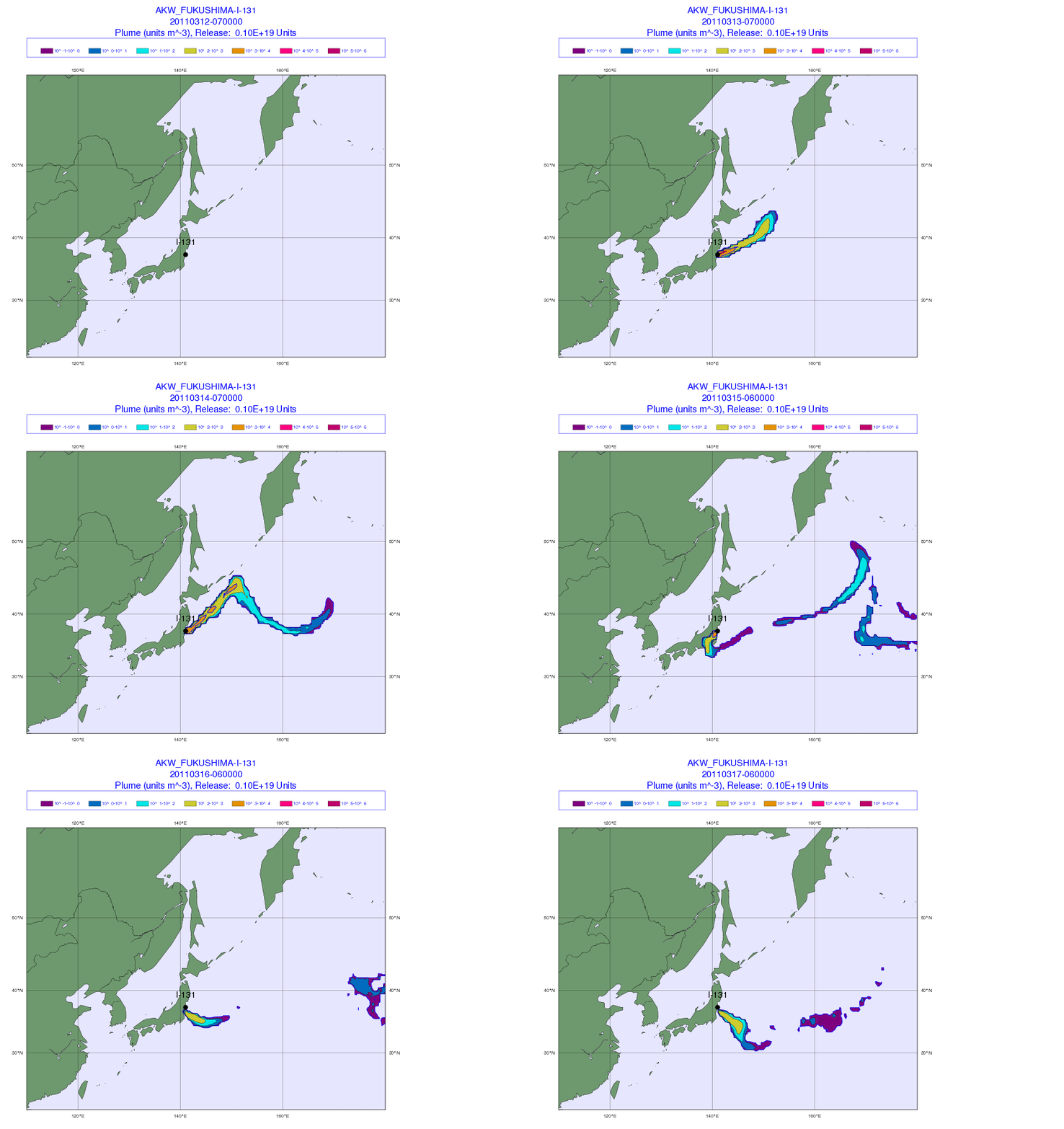
Exploding nuclear reactors and core meltdown have the advantage that nuclear power plant construction debates are buried sustainably.
Der Bund: Schicksalsfrage für die Atomkraft
Spiegel: Regierung prüft Aussetzung der Laufzeitverlängerung
Spiegel: Merkel fürchtet den großen Atomkrach
Spiegel: Amerika sorgt sich um seine Uralt-Reaktoren
Only when the apocalypse occurs politicians begin to assume sanity…
Mühleberg nuclear power plant feasibility research.
German nuclear power plant extension debate.
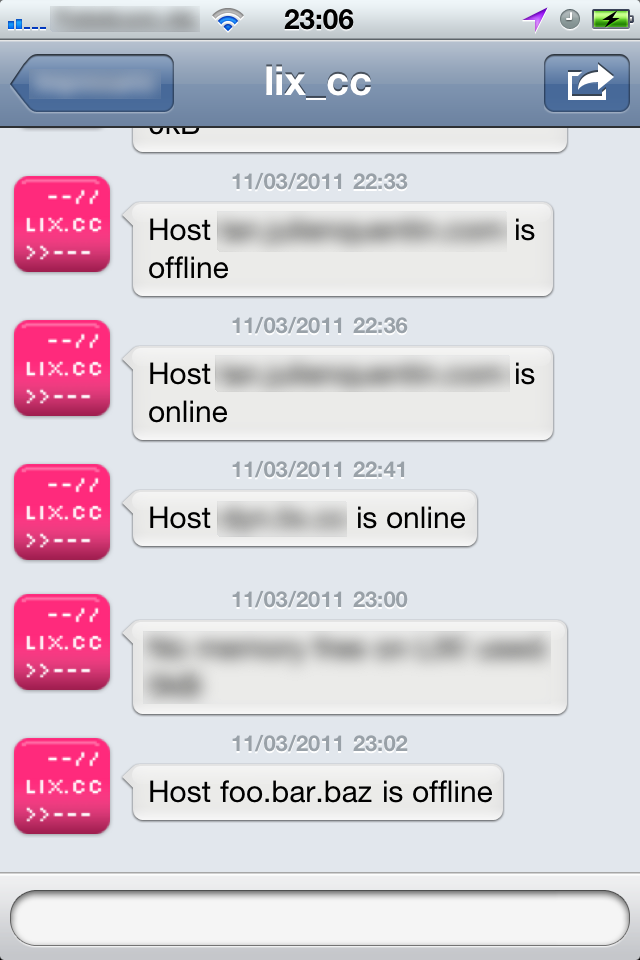
Since I’ve discovered twidge I find Twitter very useful, as my Server tweets me it’s status.
Therefore I wrote the following simple shell-script:
#!/bin/bash
#CC-BY-SA 11th of March 2011 by Lx
time=`date +"%d/%b/%Y:%H:%M:%S %z"`
if [ ! -e "~/log/$1_status.log" ]; then touch ~/log/$1_status.log; fi
lastlog_on=`tail -n 1 ~/log/$1_status.log | grep ONLINE`
lastlog_off=`tail -n 1 ~/log/$1_status.log | grep OFFLINE`
control=`ping -c 3 -W 1 google.com | grep "[1-3][[:space:]]\(packets received\|received\)"`
if [ -n $1 ]; then
 echo "Sending pings to "$1
 pong=`ping -c 3 -W 1 $1 | grep "[1-3][[:space:]]\(packets received\|received\)"`
 echo "Ping result: "$pong
 if [ -n "$pong" ]; then
  echo "Host "$1" is online"
  if [ -z "$lastlog_on" ]; then
   echo $time" "$1" status ONLINE" >> ~/log/$1_status.log
   echo "Host "$1" is online" | twidge dmsend twitteraccount
  fi
 elf [ -n "$control" ]; then
  echo "Host "$1" is offline"
  if [ -z "$lastlog_off" ]; then
   echo $time" "$1" status OFFLINE" >> ~/log/$1_status.log
   echo "Host "$1" is offline" | twidge dmsend twitteraccount
  fi
 else
  echo "Network down"
 fi
elif [ -z $1 ]; then
 echo "Usage: $arg0 hostname|ip"
fi
exit;
Then I use a cronjob accordingly:
*/5 * * * * sh ~/path/to/shellscript.sh foo.bar.baz > /dev/null 2>&1
You can easily also tweet the server uptime, load or whatever 😎
uptime | twidge update twitteraccount
Have phun!
There are multiple ways to bypass the Chinese Firewall, using VPN, anonymous browsers or Tor. But I prefer to use the most simple way, which for me is using an ssh tunnel.
host:~user$ ssh -D 8888 login@myserver.org
(There is also a nice GUI for those who are not familiar with the command line.)
Then I configure my system preferences to use the socks proxy on 127.0.0.1:8888, which can also be done in Firefox Network settings. (see screenshots)
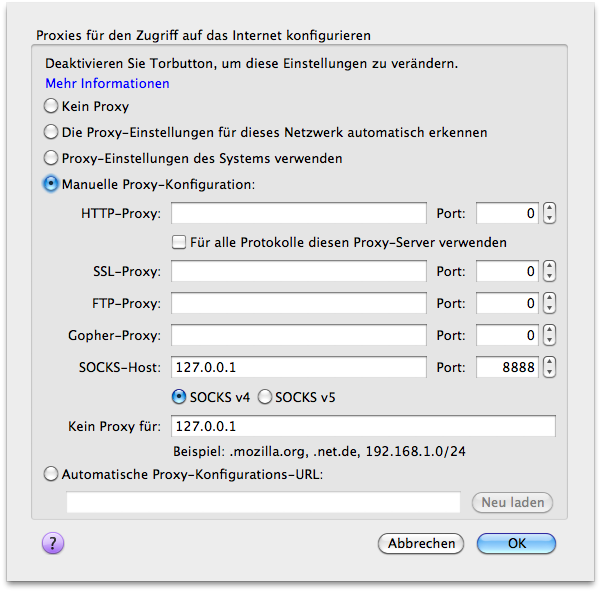
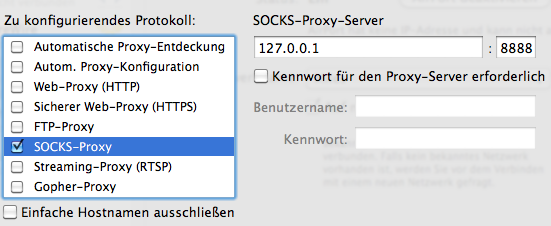
As the Chinese Government also tries to block external sites, such as Youtube and Openleaks, by filtering DNS requests, it’s necessary to filter this too. One could e.g. point them to 127.0.0.1 (in system preferences) and then send through another ssh tunnel:
host:~user$ sudo ssh login@myserver.org -L 53:127.0.0.1:53
(sudo because 53 is a privileged port.)
But actually it’s easier by just hacking the firefox configuration:
… or one can install iodine and tunnel all DNS requests accordingly.
Have phun!
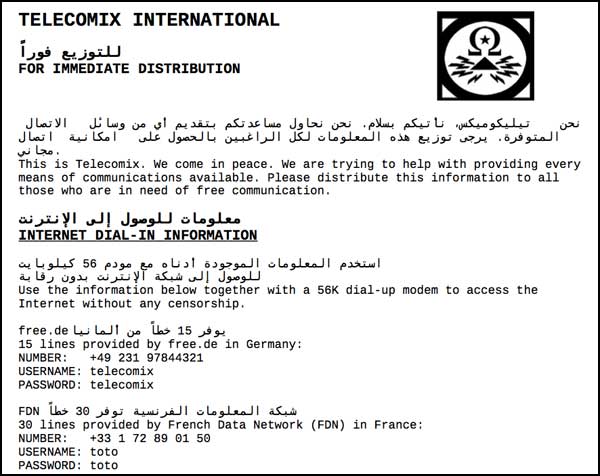
 Rop Gonggrijp offers a dialin service (xs4all): “Use your modem to dial +31205350535, username xs4all password xs4all.”
انترنت مجاني وغير مراقب في ليبيا اتصال بالرقم
username xs4all
password xs4all
+ 31205350535
Telecomix is also providing a similar service. (See below)
P.S. Such services should actually globally and freely be offered by the UNHRC (United Nations Human Rights Council)!!